
Overview
Every design team knows this feeling. You run a great workshop, the energy is high, you've brainstormed and collected all these insights - and the next day comes and none of that progress has been synthesized. The session was collaborative, but everything that came after it was just you trying to make sense of the mess alone.
AI was supposed to fix this. But here's the problem with nearly every AI tool: it's single-player. You open a blank prompt completely disconnected from the work your team just did, re-explain everything from scratch, and get an output you have to wrangle back into context. The more my team leaned on AI, the more our outputs scattered across five different tools. The mess got faster, not smaller.
For the past few weeks I've been running my design process inside Miro, where the AI works on the same canvas my team already uses. Miro sponsored this video, but I changed my actual workflow because of it.
The four pieces
Miro launched this generation of features at Canvas 26 on May 19, 2026, alongside Connectors, Engage and an updated Talktrack. Miro's AI system has four components worth understanding: Flows, Prototypes, Sidekick, and the MCP server. Flows are the heart of it, so that's where I'll start.
Flows: structure the mess without leaving the canvas
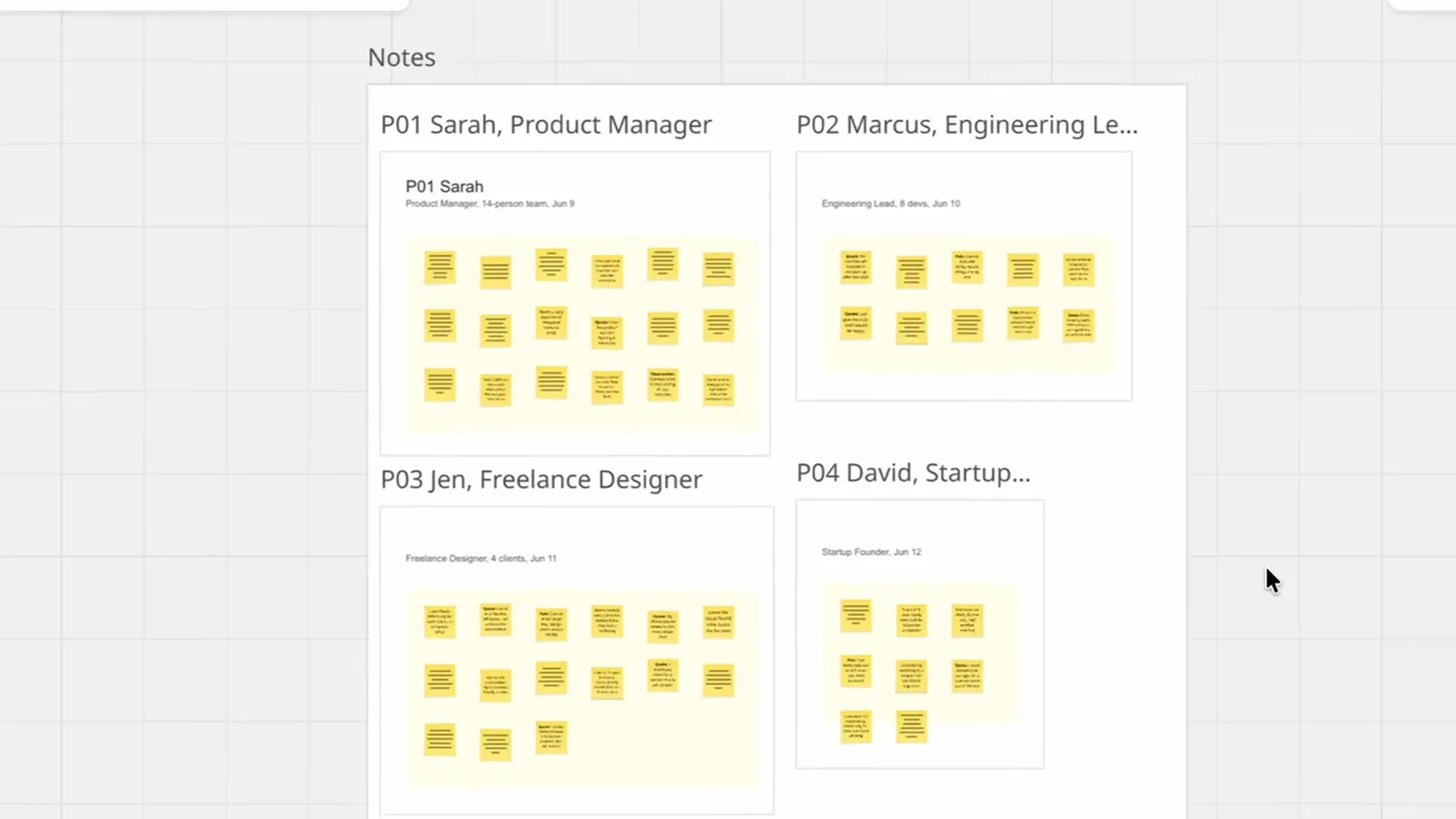
After five user interviews, a Miro board looks like a wall of sticky notes. Normally turning that into something a PM can act on takes me about two hours of clustering and rewriting. I built a Flow instead.
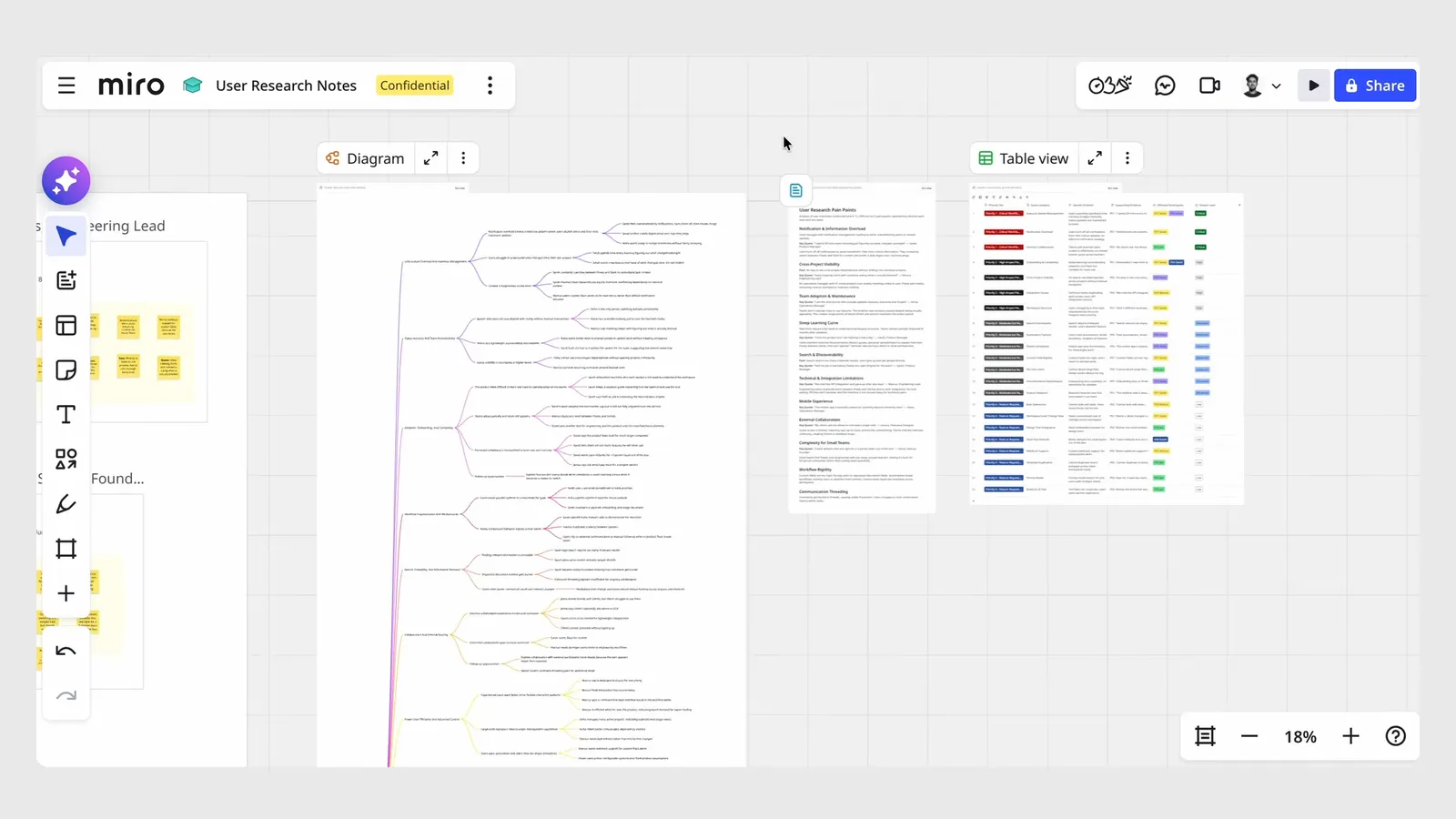
Flows are visual, multi-step AI workflows that run directly on the canvas. Mine does three things in sequence: clusters the raw notes into themes, pulls the top pain points with supporting quotes, and formats everything into a structured, prioritized table. Run it, and in a few seconds that wall of notes becomes three organized, readable views of the research, all still on the same board.
The key word is sequential. Each step builds on the last, and you can see exactly what happened at every stage. This isn't magic behind a loading spinner - the logic is visible and steerable.
Sidekick: collaborative, not just fast
After a Flow runs, I add a Sidekick - contextual AI expertise dropped in at exactly the right moment. I dropped a research-led Sidekick at the clustering step to pressure-test the themes.
Here's what makes this collaborative instead of just efficient: my teammate can jump onto the same canvas, see exactly what the AI did, steer it, and verify the output before anything moves forward. We're all looking at the same logic in the open at the same time. That's the upgrade I actually care about - going from collaborating on a session to executing on it together.
Single-player AI gives you a faster solo output. A Sidekick on a shared canvas gives you a faster team output. The difference matters.
Prototypes: from insight to interactive without leaving the board
Old workflow: export everything, open Figma, start mocking screens before anyone agreed on a direction. Building got easier but knowing what to build didn't get clearer.
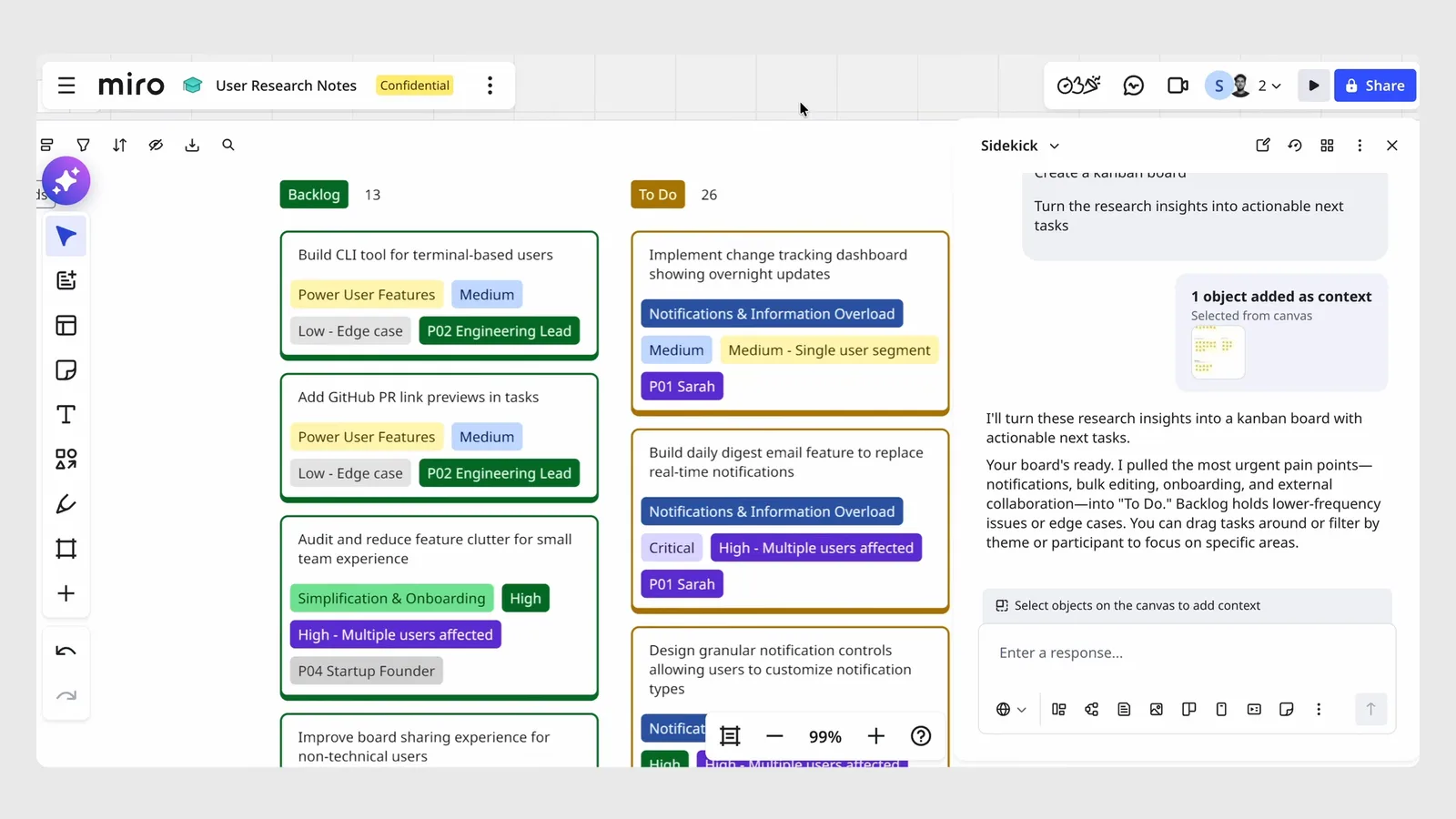
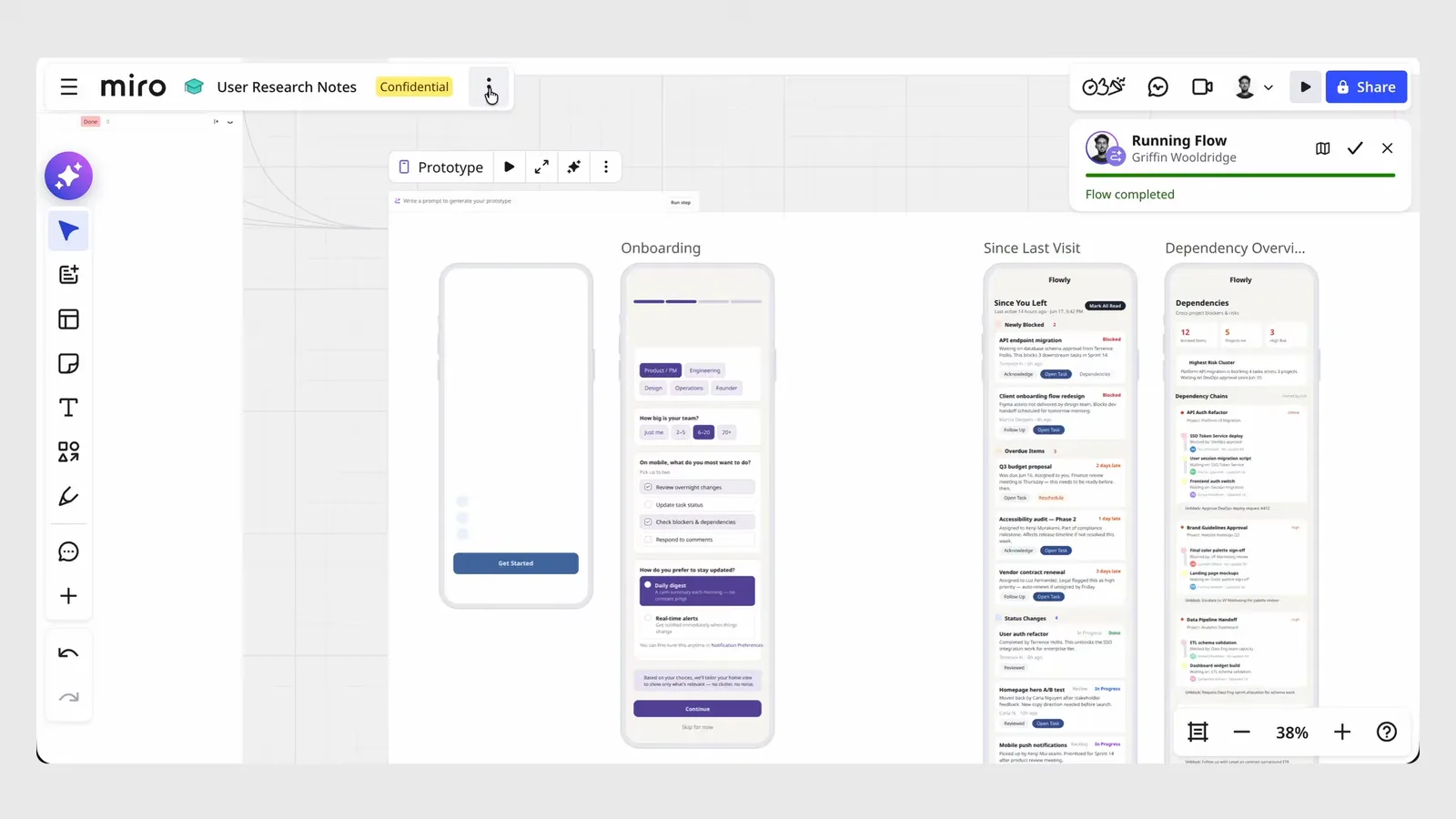
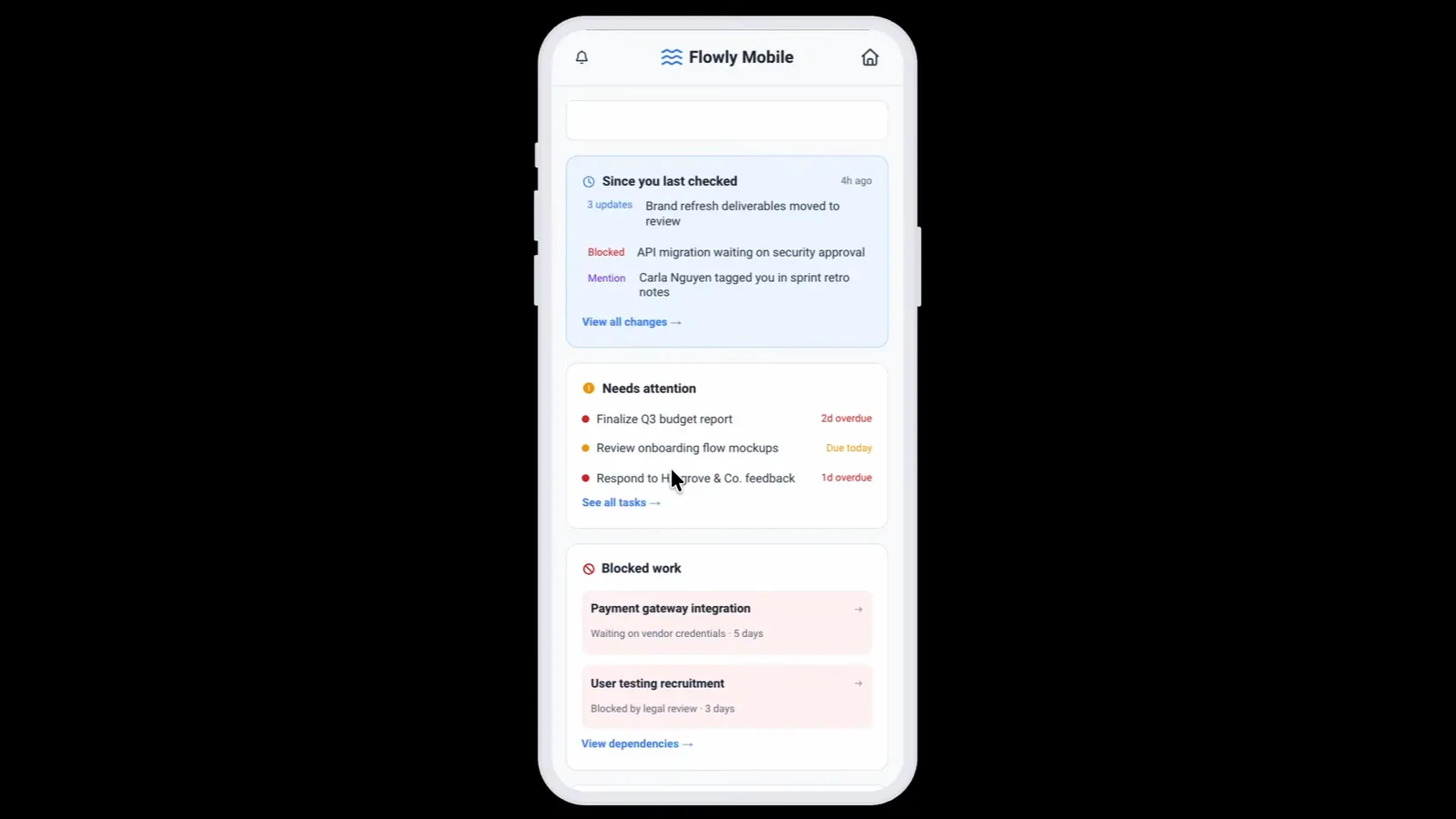
With Miro Prototypes, I stay on the canvas. I select the insight I want to act on (a research cluster, a rough PRD, a brainstorm node), prompt the Sidekick, and it builds a working interactive prototype right there. Not a static image. Something you can actually tap through and test.
The AI sees the context around whatever I selected from the rest of the board, so the prototype isn't generated cold. It understood the problem we were solving.
This changes the stakeholder conversation. They react to something tangible in the same place the discussion lives. I generate three completely different directions in an hour, the team picks one, and nobody burned craft time on the other two. The old trap was spending a week in Figma polishing one direction, showing it, and being told to start over. Now we align on direction cheaply, then invest in execution.
The MCP server: Claude reads the whole board
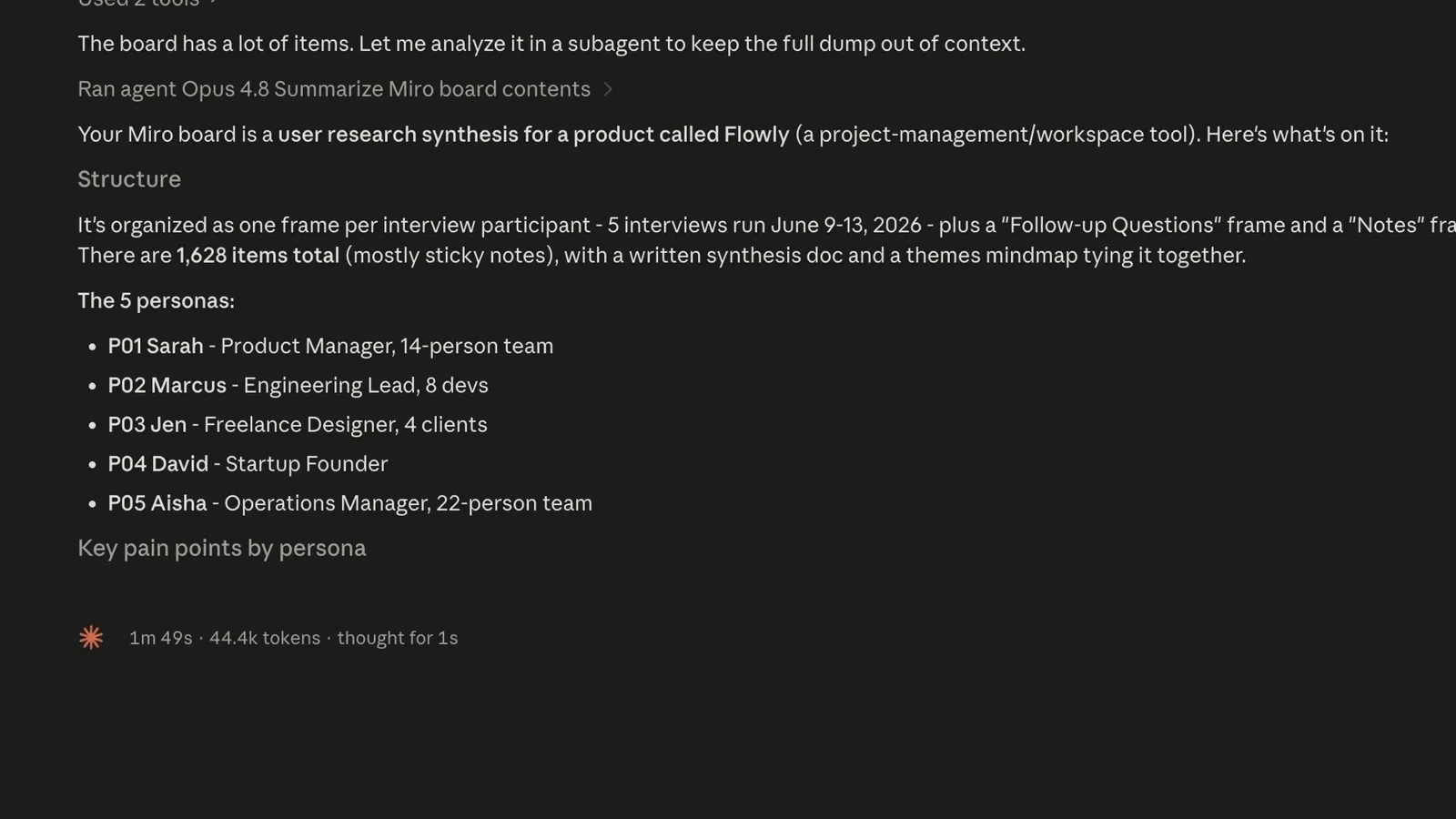
This is the piece I'm most excited about. Miro has an MCP server, which means an AI agent (Claude, in my case) can read and write directly to your Miro board.
So when I ask Claude to help me draft a spec, it can read the entire board: the debates, the discarded directions, the tradeoffs we talked through, the research clusters, the prototype we landed on, and why we rejected the alternatives. It finally has the reasoning behind the work.
I've stopped re-explaining backstory to my AI every single time. I don't open Claude with 'okay, we interviewed five users and found this pain point, here's the quote, oh and we considered this approach but rejected it because...' It already knows. It just reads the board.
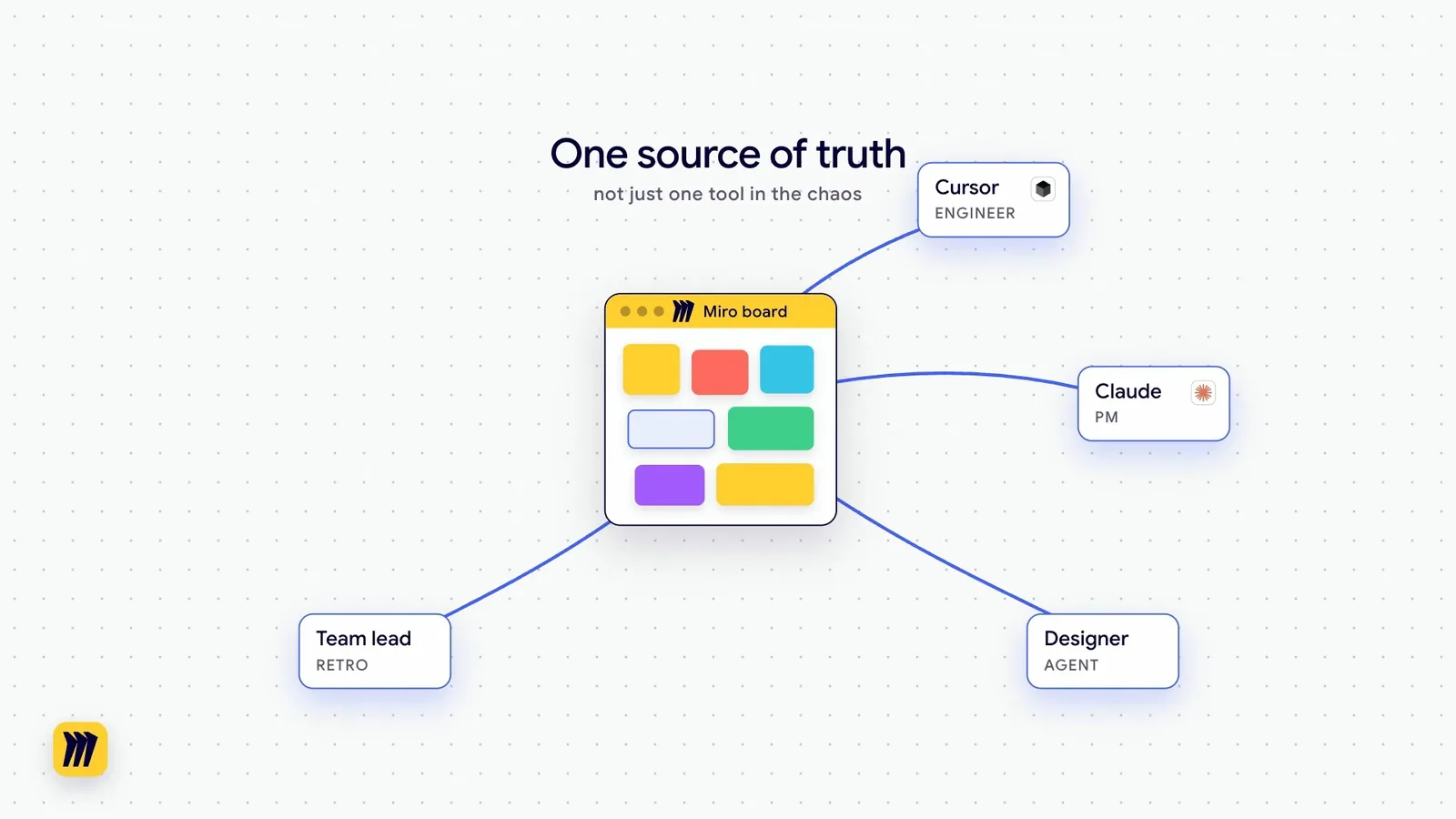
For engineers: connect your agent this way and it understands the thinking that shaped the work - sprint decisions, scoping tradeoffs, architecture notes. You're not asking Cursor to code in a vacuum. It's reading your Miro board with the full picture. For PMs: connect Claude to pressure-test your roadmap against the actual user research. For anyone running retrospectives: feed the board to an agent and turn the messy output into action items with full context intact.
The board becomes the shared source of truth for your whole team's AI stack, not just one more tool in the chaos.
The full loop
A messy session goes in. Flows structure it. Sidekicks keep the team in control. Prototypes get everyone aligned. The MCP server carries the full context off to whatever tool your team ships with.
The session still happens on the canvas. What changed is everything that comes after it. The collaboration doesn't stop when the session stops - it accelerates.
Most AI tools are built for individuals. The teams that ship the best work aren't the ones with the smartest prompts. They're the ones running collaborative AI workflows where the AI works on the same canvas the team is already on, where everyone can see the logic, steer the output, and build on what came before.
If you want to try it: miro.pxf.io
Miro's MCP is one of several worth connecting; I rounded up the best MCP servers for designers here: The Best MCP Servers for Designers (2026)
For the meetings that feed the board, Granola handles the notes: The AI Notepad Changing How I Work: Granola
FAQ
Flows are visual, multi-step AI workflows that run directly on your Miro canvas. You build a sequence of steps (cluster notes, extract pain points, format a table) and the AI executes them in order on whatever content you've selected on the board.
MCP (Model Context Protocol) is a standard that lets AI agents read and write to external tools. Miro's MCP server lets Claude, Cursor, or any compatible agent pull context directly from your board (debates, decisions, research, prototypes) without you re-explaining the backstory.
ChatGPT and Claude in isolation are single-player: you open a blank context and re-explain your project each time. Miro's AI runs on a shared canvas where the whole team can see what the AI did and steer it together. The MCP server then lets external agents read that shared context, so nothing gets lost in translation.
No. Flows, Sidekick, and Prototypes are all no-code - you build them by selecting content and prompting in plain English. The MCP server requires connecting an agent like Claude Code, but Miro has a setup guide and it's a one-time configuration.
Both. Solo, you get a structured workflow that replaces two hours of manual synthesis. On a team, you get genuine collaborative AI - stakeholders see the same output, can steer it, and build on it together. The team benefits are bigger, but the solo time savings are immediate.
Miro is the thinking layer - research synthesis, alignment, direction-setting, prototyping early concepts. Figma is still the right tool for high-fidelity production design. Claude Code handles implementation. The MCP server is the bridge: it lets Claude Code read the Miro board so the context from your research and sprint decisions travels with the work into execution.