
Overview
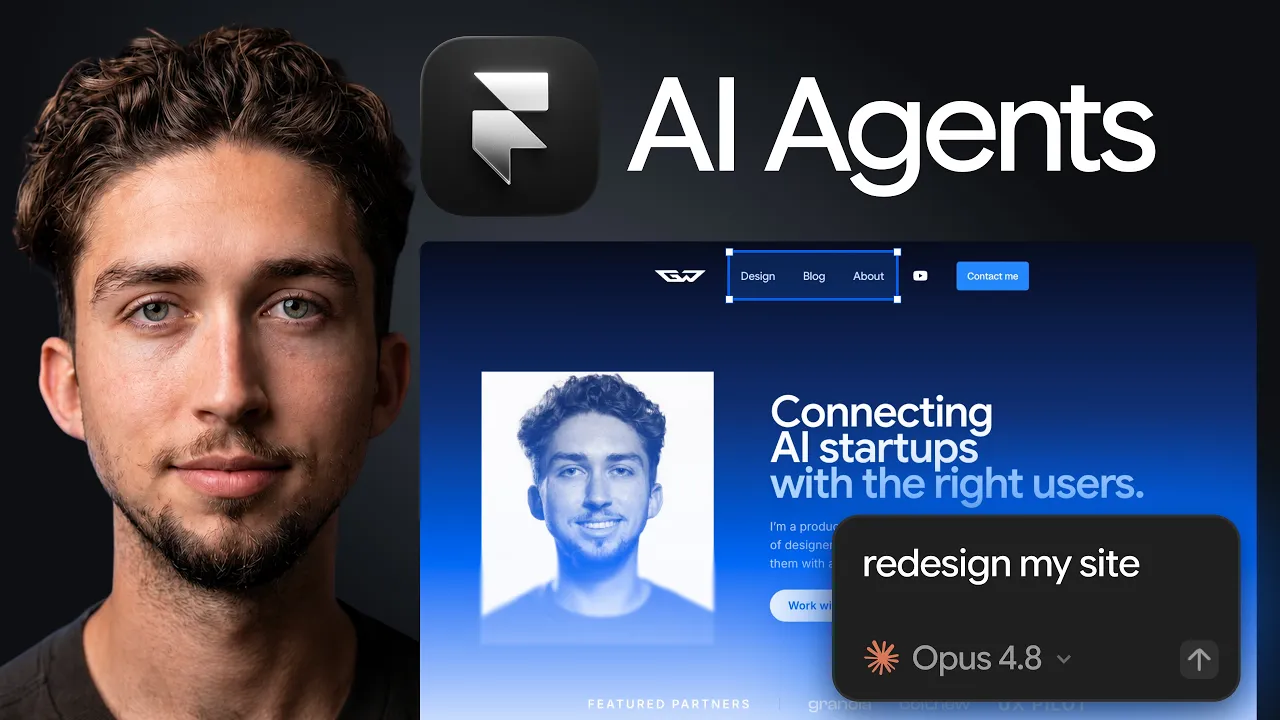
Framer AI Agents might be the biggest shift the website builder has made since launch. This is not another AI wireframe generator living beside your real design tool. In Framer 3.0, the Agent works directly on the same responsive canvas you use to design, edit, manage content, and publish a production website.
I tested the complete workflow by redesigning my own site live. The Agent rebuilt sections, applied a new visual direction across breakpoints, restored content it initially removed, updated shared text styles, cleaned up my CMS, and helped audit the site's SEO. I also connected Claude Code as an External Agent to see how Framer works from the terminal.
Watch the full Framer AI Agents redesign walkthrough here:  Watch on YouTube
Affiliate disclosure: Framer sponsored the video and this is my affiliate link. If you sign up through it, I may earn a commission at no extra cost to you.
What is Framer 3.0?
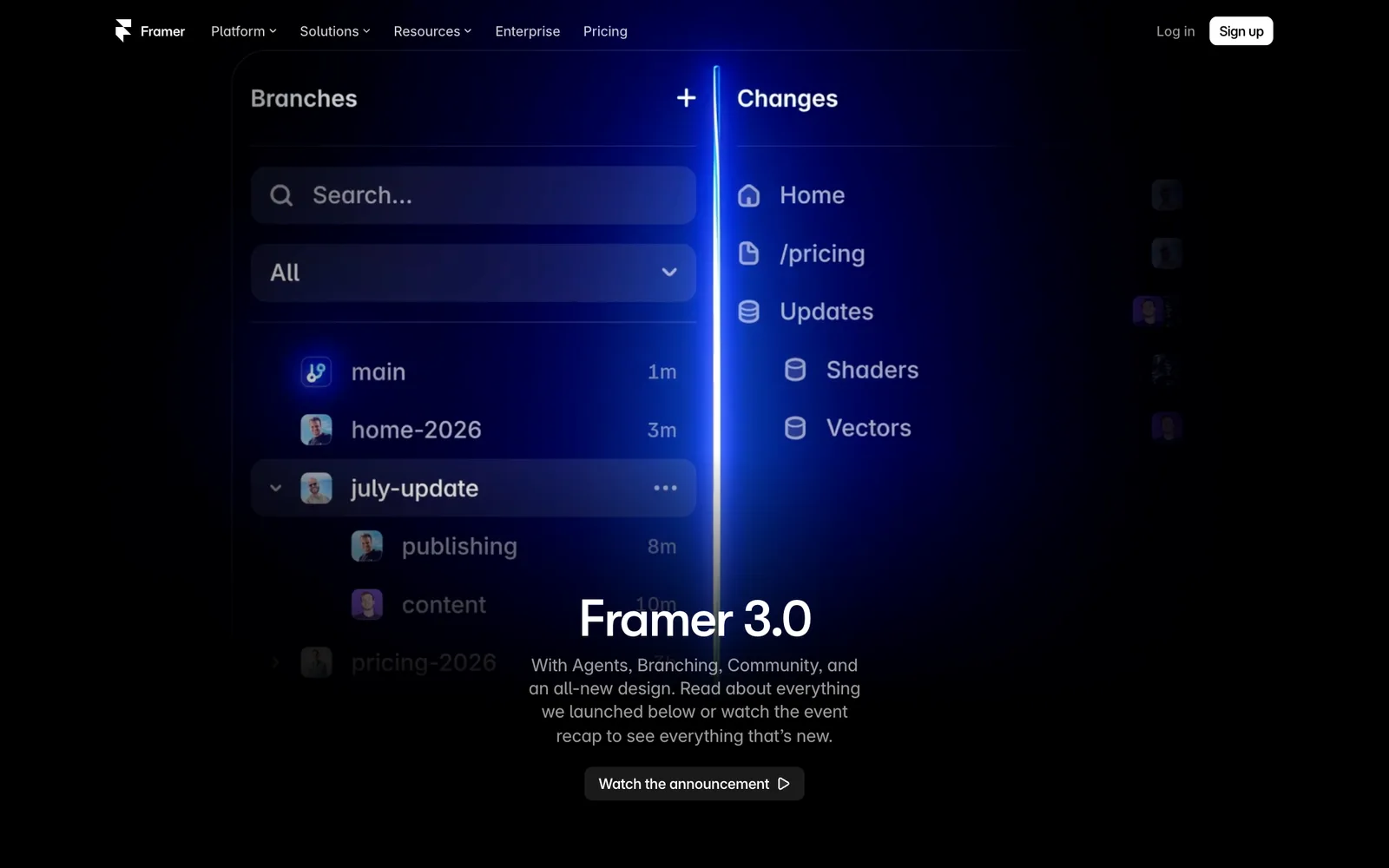
Framer 3.0 is Framer's June 2026 platform update built around four major launches: Agents, Branching, External Agents, and a redesigned Community. The editor itself also received a visual refresh. Together, those changes turn Framer from a visual website builder with AI features into a website workspace where human designers and AI agents can work on the same production canvas.
The headline feature is Framer Agents. You describe a goal in plain English and the Agent can create or revise pages, generate responsive layouts, write and organize content, connect to CMS collections, create components, fix issues, and help prepare a site for publishing. Everything it makes remains editable in Framer.
Branching makes those changes safer. You can explore a redesign or let an Agent make broad updates in an isolated version of the project, review the result, and apply approved changes back to main without putting the live site at risk.
External Agents connect tools such as Claude Code, Codex, Cursor, and Gemini CLI to a Framer project. That makes structured work involving local files, APIs, scripts, CMS data, redirects, localization, code components, and audits possible from the terminal.
Framer has kept shipping since launch. The Agent's model picker now has reasoning levels and a Fast mode for supported models like Opus 5 (August 12, 2026), shaders accept video as well as images (August 11), the Agent handles 3D transform properties like Rotate XYZ, Perspective and Backface (September 1), and the CMS gained a List field for repeating content (September 8).
How Framer AI Agents are different from other AI website builders
Most AI website builders generate a draft in a separate environment. That can be useful for ideation, but the handoff becomes the hard part: importing the result, rebuilding it in the real design system, fixing breakpoints, reconnecting content, and preparing it for production.
Framer's advantage is that design and production already live in the same place. The Agent works on the real page, with the real layers, styles, components, breakpoints, and CMS. You can inspect what it changed, edit the result manually, prompt another revision, and publish from the same project.
That changes the designer's role without removing it. My preferred split is simple: the Agent brings speed and scale; I bring taste and the final call. It handles the repetitive 80 percent, while I direct and refine the 20 percent that makes the site feel intentional and personal.
Framer AI Agents tutorial: redesigning a real website
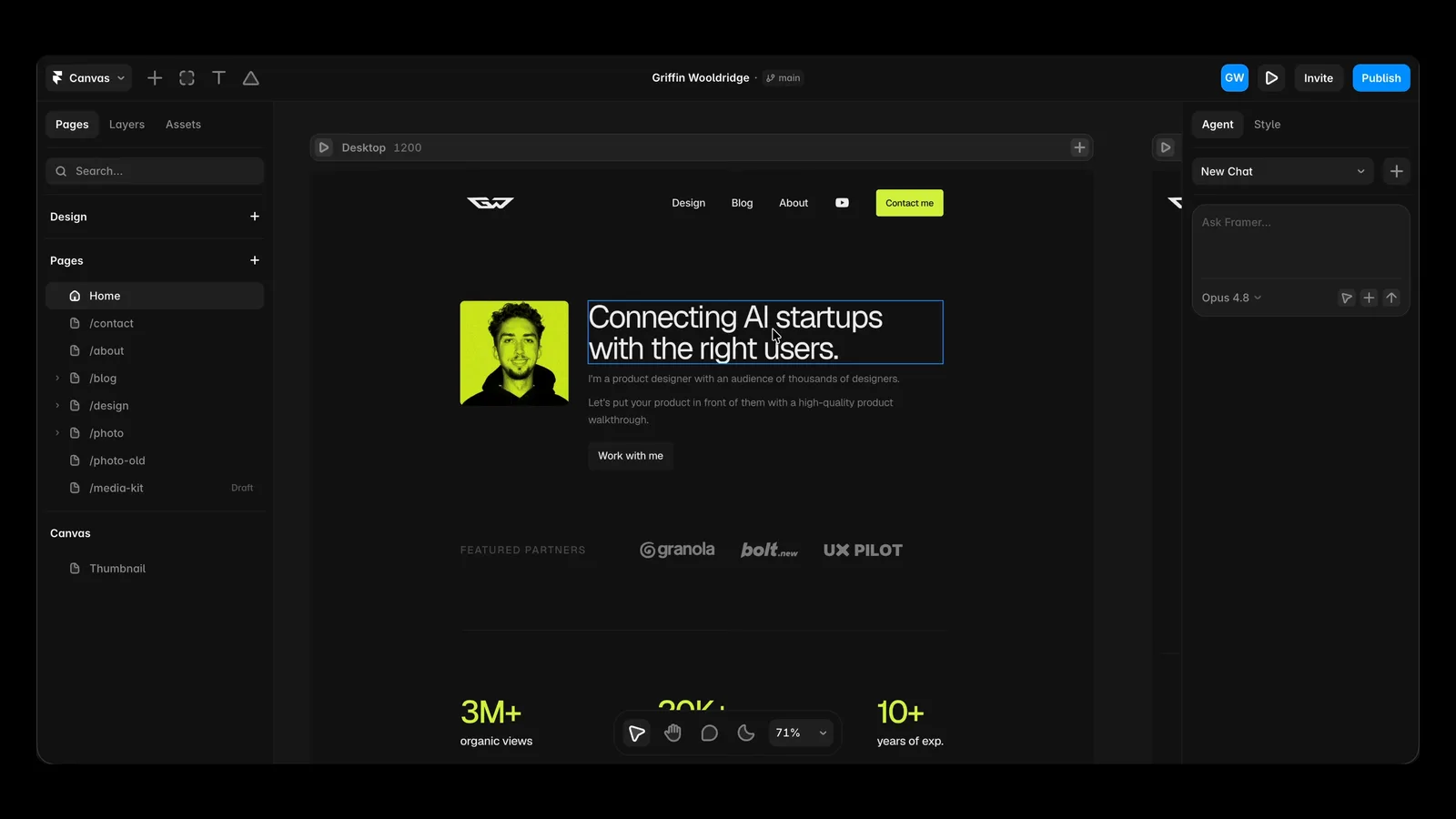
I started in the Framer dashboard and opened my existing portfolio project. The updated editor places an Agent tab in the right sidebar beside the familiar Style controls. The interface is intentionally minimal: choose a model, write a prompt, and let the Agent inspect the current page before it starts changing the canvas.
My first prompt limited the redesign to the homepage. That constraint mattered. I wanted to establish the design direction on one page before spending credits and time applying an unproven idea across the entire site.
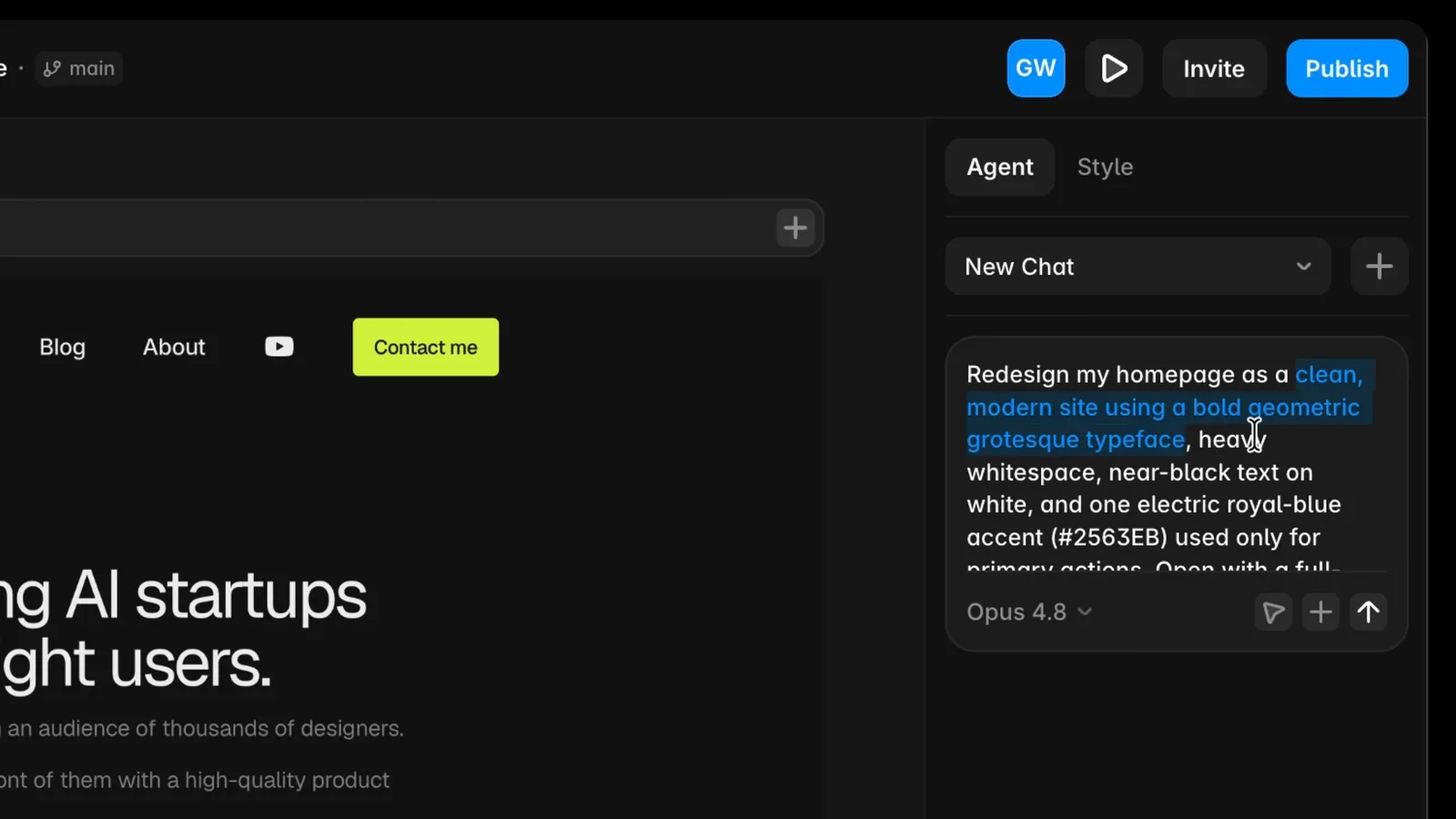
The brief asked for a clean modern site with a bold typeface, a full-bleed vertical gradient moving from near-black navy through saturated blue into white, high contrast, airy spacing, and consistent padding. A detailed first prompt gave the Agent enough constraints to build a coherent foundation rather than guessing what 'make it better' meant.
The result appeared across desktop, tablet, and mobile layouts together. The Agent built the gradient, restyled the navigation, created a new typographic direction, worked down through the footer, spotted a responsive problem, and corrected it during its own review pass.
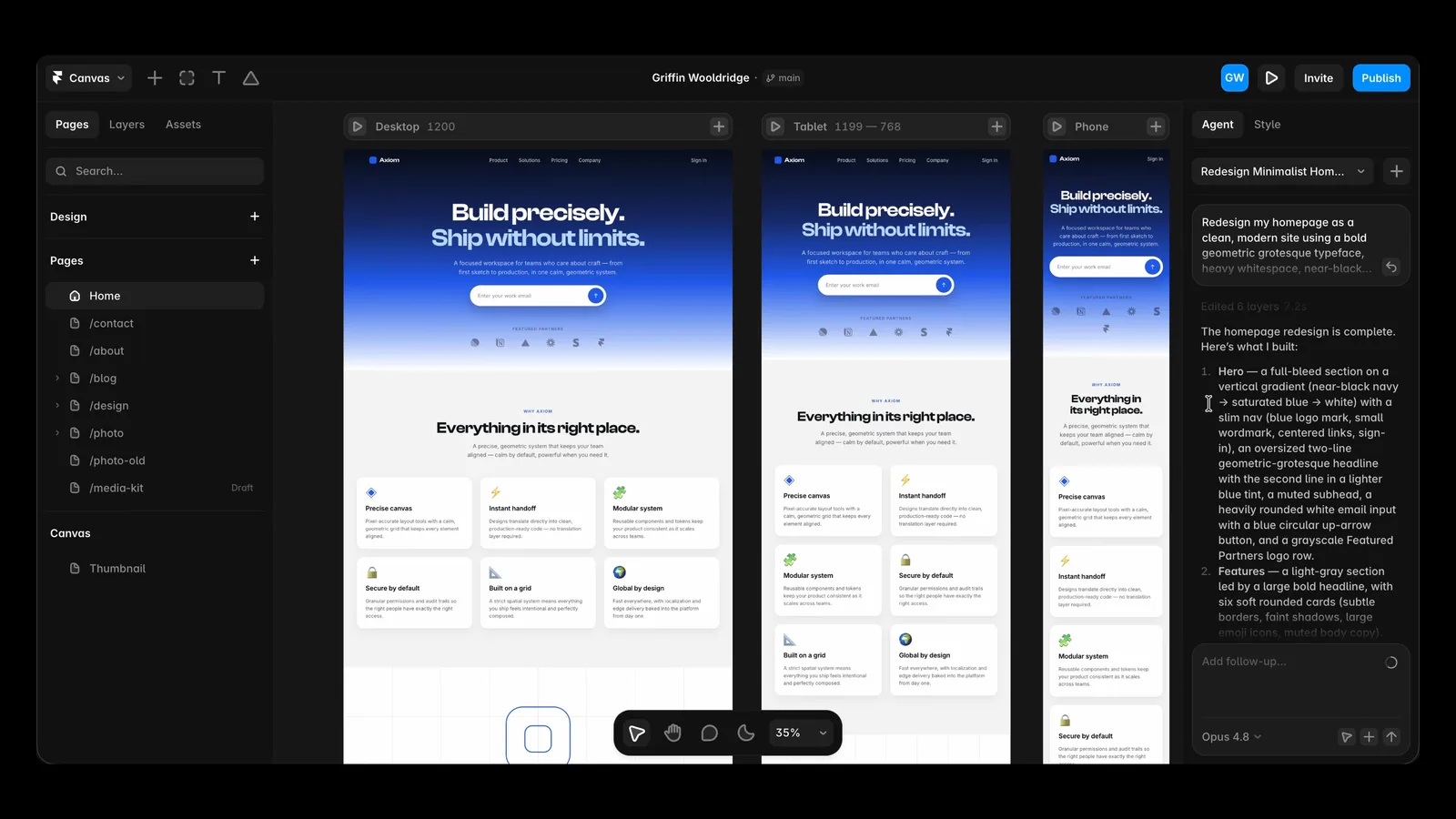
The first result looked good, but it deleted my content
The first redesign exposed an important limitation. The new visual direction was strong, but the Agent replaced much of the homepage content instead of restyling it. Navigation tabs, hero copy, and key sections from the previous version disappeared.
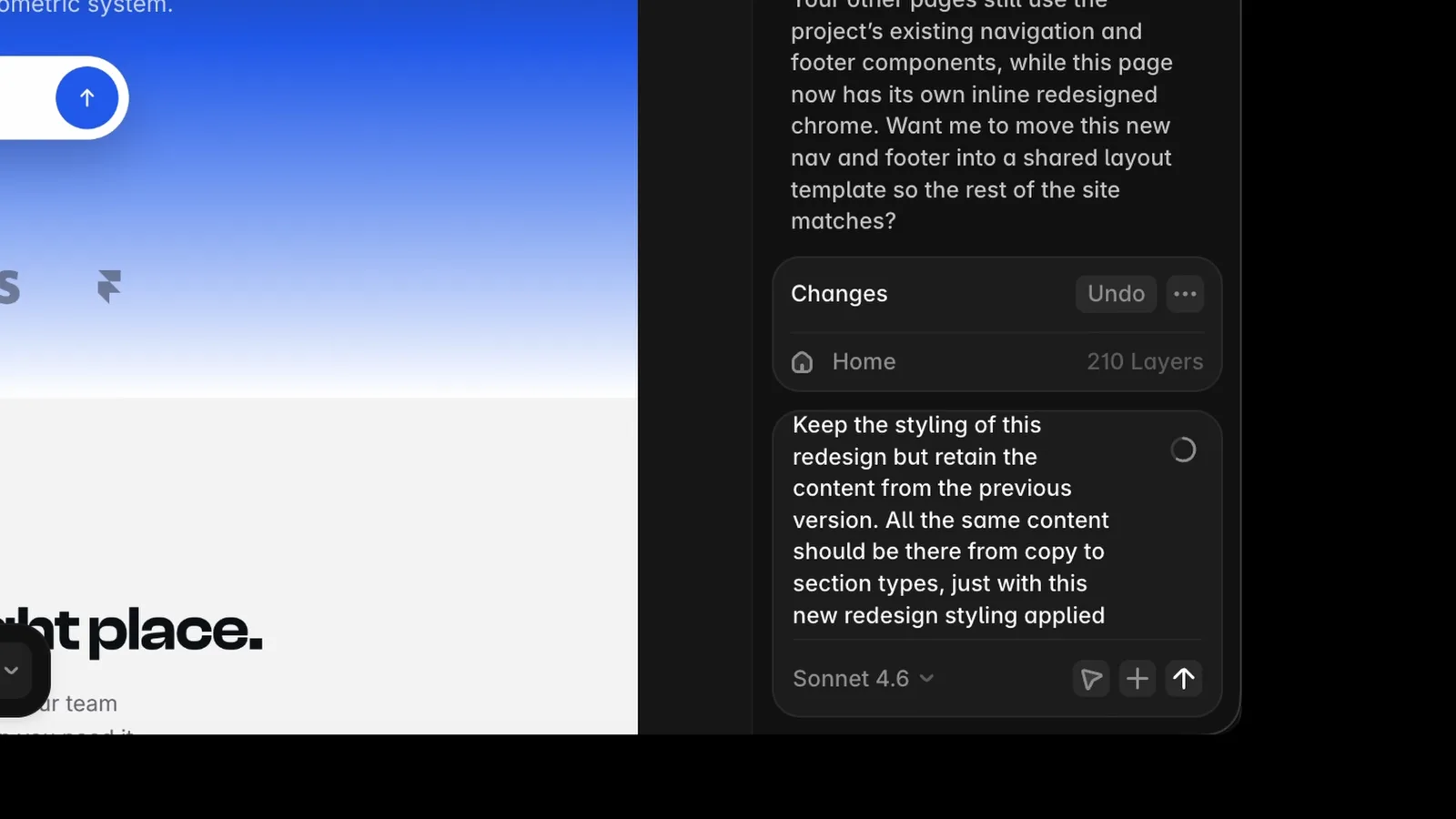
I used Framer's undo control to compare the versions, then gave the Agent a corrective prompt: keep the styling of the redesign, but retain all copy and section types from the previous version. The next pass restored the content while preserving the new visual system.
This is the most practical prompting lesson from my test: explicitly separate content from presentation. If you want a visual redesign, say that the existing information architecture, copy, links, CMS connections, and section types must remain unless you approve a change. Do not assume the Agent will infer that constraint.
The best Framer Agent workflow combines prompting and manual editing
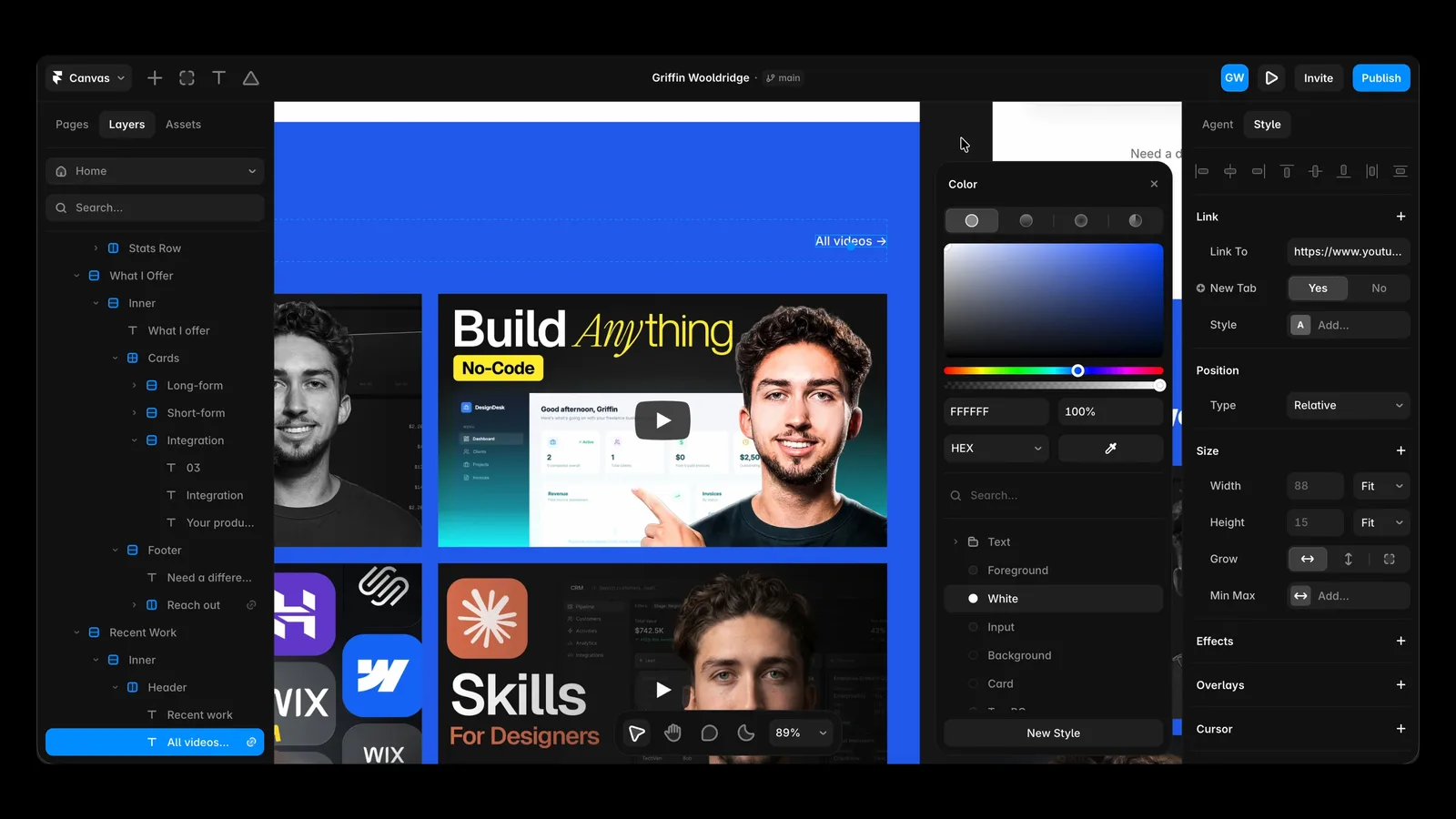
Once the foundation was right, I stopped prompting every small adjustment. I centered an awkward logo row, removed a section fill so it blended into the hero gradient, equalized card heights, adjusted spacing, changed a section background to the primary blue, and refined the heading typeface directly on the canvas.
That hybrid workflow is faster than treating the Agent like a slot machine. Use prompts for broad, repeatable, multi-breakpoint work. Use Framer's visual controls for precise decisions you can make faster by looking at the canvas.
The same rule applies to components. When the redesign made navigation links hard to see, I referenced the navigation component directly in the prompt and asked it to use the primary text style. The Agent fixed the shared component instead of patching one page.
How to roll a Framer redesign across every page
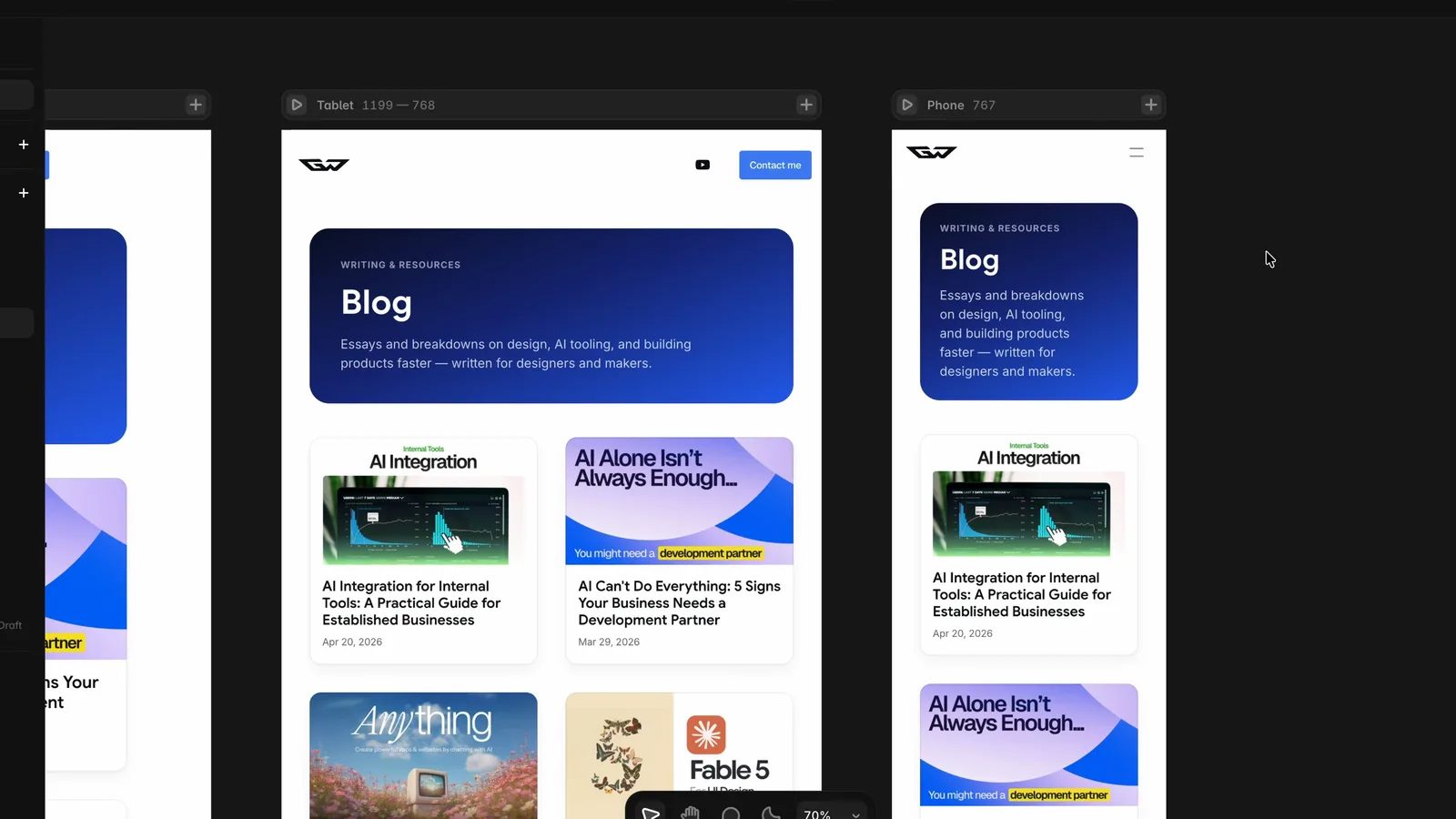
After I approved the homepage direction, I asked the Agent to apply that design language to the rest of the site while maintaining each page's existing content. It updated the About, Design, and Blog pages, reusing the homepage as the visual reference.
This is where Framer Agents feel meaningfully faster than a traditional redesign. The Agent can apply typography, color, spacing, and layout logic across pages and breakpoints in one pass. Because it works with Framer's responsive layout system, those changes are not limited to one static desktop mockup.
The rollout still required review. I adjusted image alignment and sizing manually, tightened tracking in the shared H1 text style, and repaired a navigation component. But the Agent removed the repetitive work of rebuilding the same design direction page by page.
Can Framer AI Agents manage the CMS?
Yes. Framer Agents can work with CMS collections, fields, and content, which makes them useful for blogs, portfolios, directories, and other repeatable content systems.
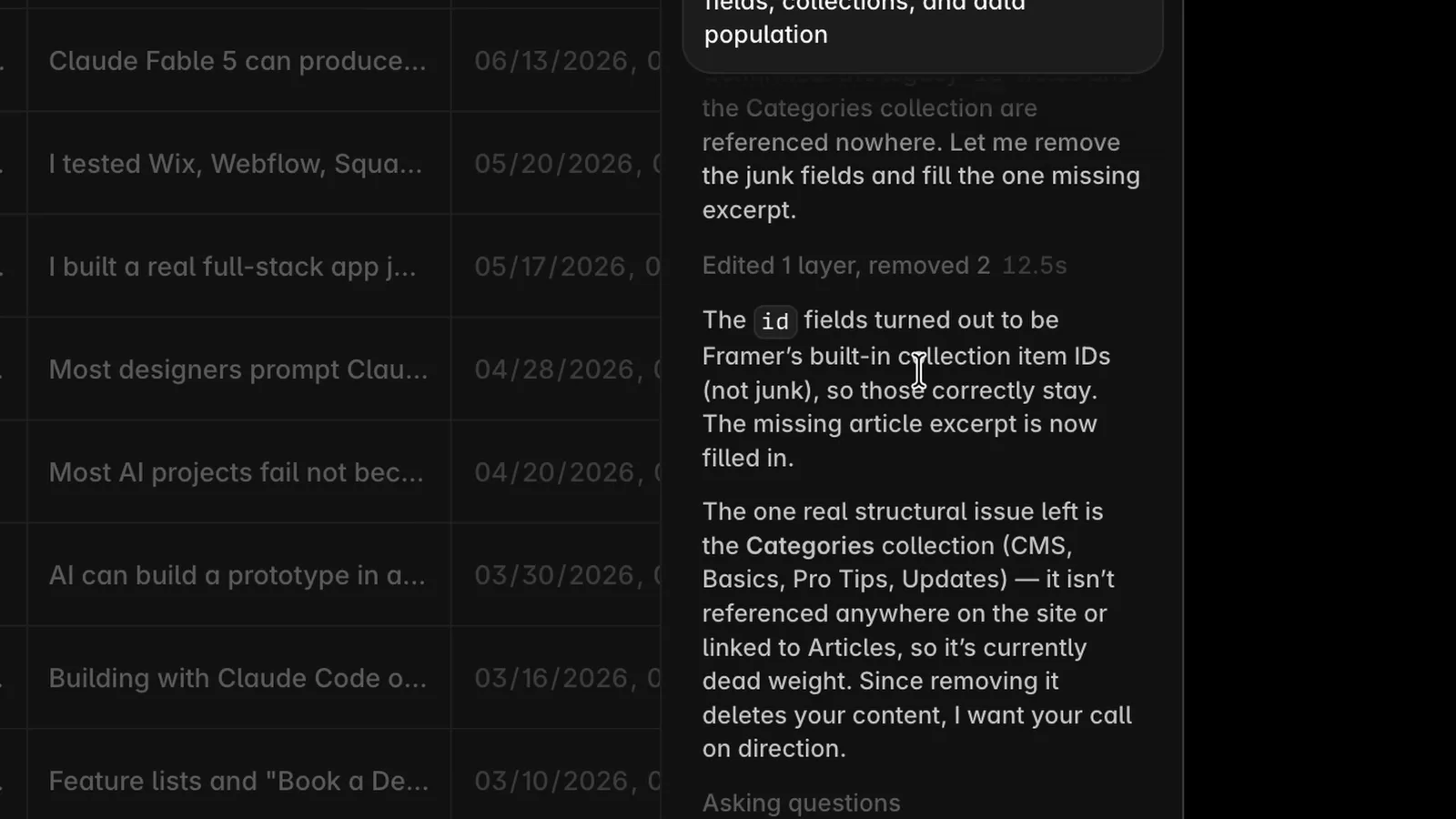
In my project, the Agent audited the blog CMS, found unused fields, removed an obsolete category field, created a better category structure, and filled a missing article excerpt. The result was a cleaner collection with complete content across all posts.
For larger CMS tasks, use a more capable model and ask the Agent to inspect before it edits. For focused cleanup or one missing field, a faster model can be more economical. The important part is to specify the collection, the matching rule, what can change, and what report you want after the work is complete.
Framer Branching makes AI changes safe for production
An AI agent working on a live website is only useful if you can control what reaches production. Framer Branching provides that control.
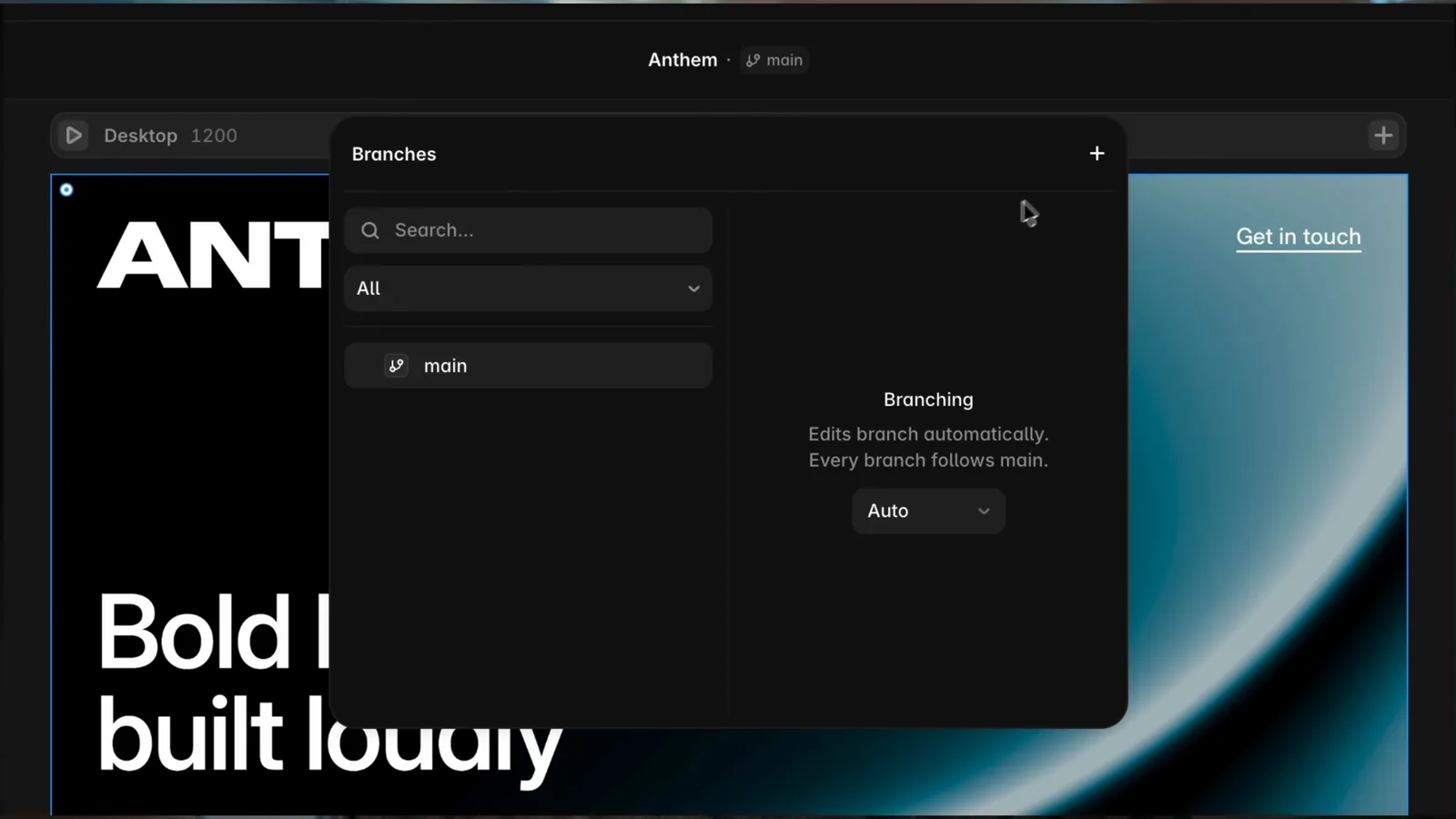
A branch is an isolated version of the project where an Agent or teammate can redesign sections, update CMS content, test a new idea, or make broad changes without affecting main. You can review and compare the work, collaborate on it, apply approved changes back to main, and publish only when you are ready.
This is especially useful for redesigns, AI-generated changes, content review, and parallel work. Framer also lets you publish a branch to a preview URL for review without changing the live site. For professional teams, Branching is the feature that turns rapid AI iteration into a responsible production workflow.
How Framer External Agents work with Claude Code, Codex, and Cursor
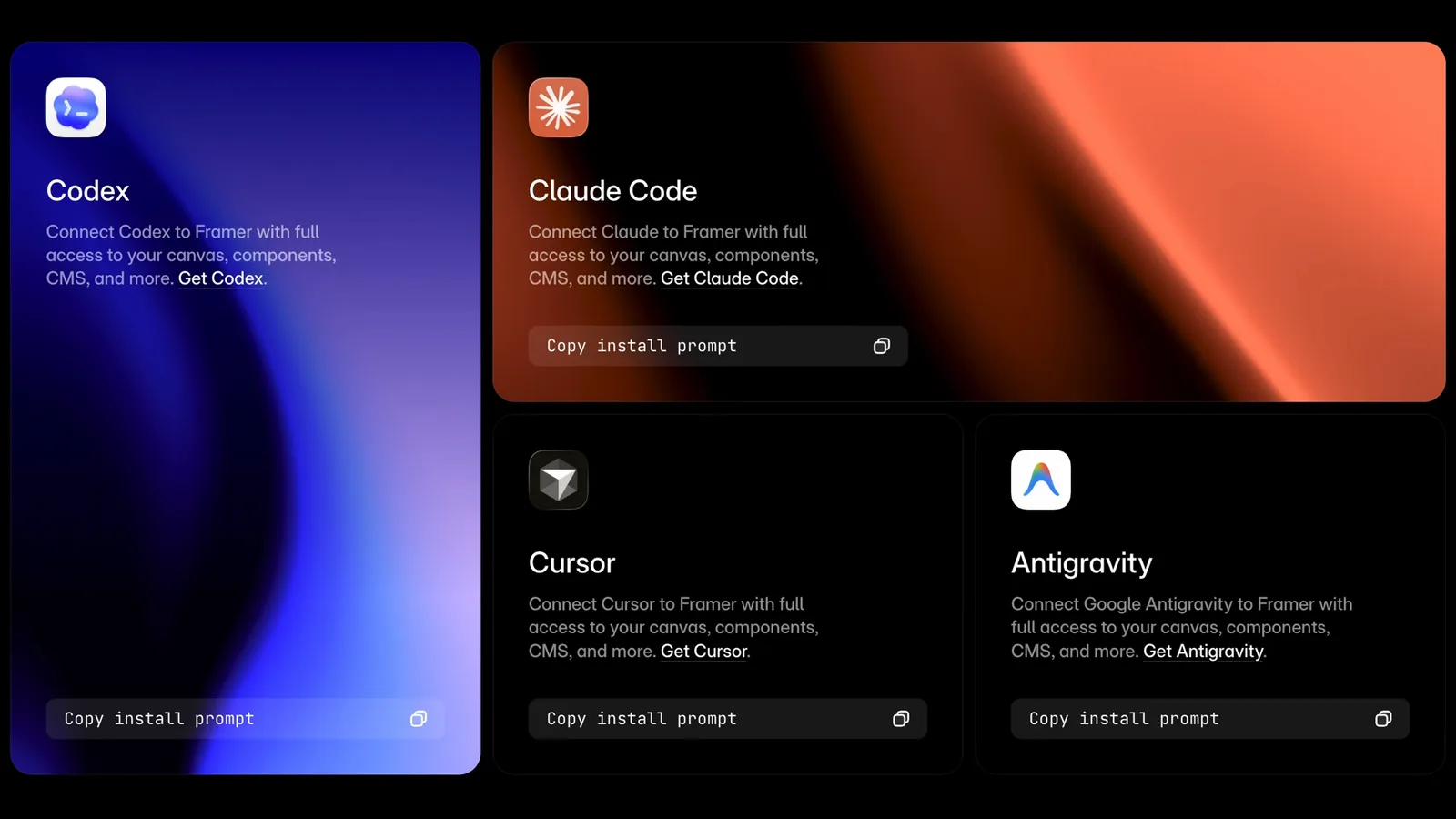
Framer External Agents let a terminal-based AI tool connect to the real Framer project. Framer's setup flow installs the Agent tooling, authorizes the project, and gives your preferred agent access to supported pages, canvas structure, CMS collections, code files, styles, assets, localization, metadata, and publishing information.
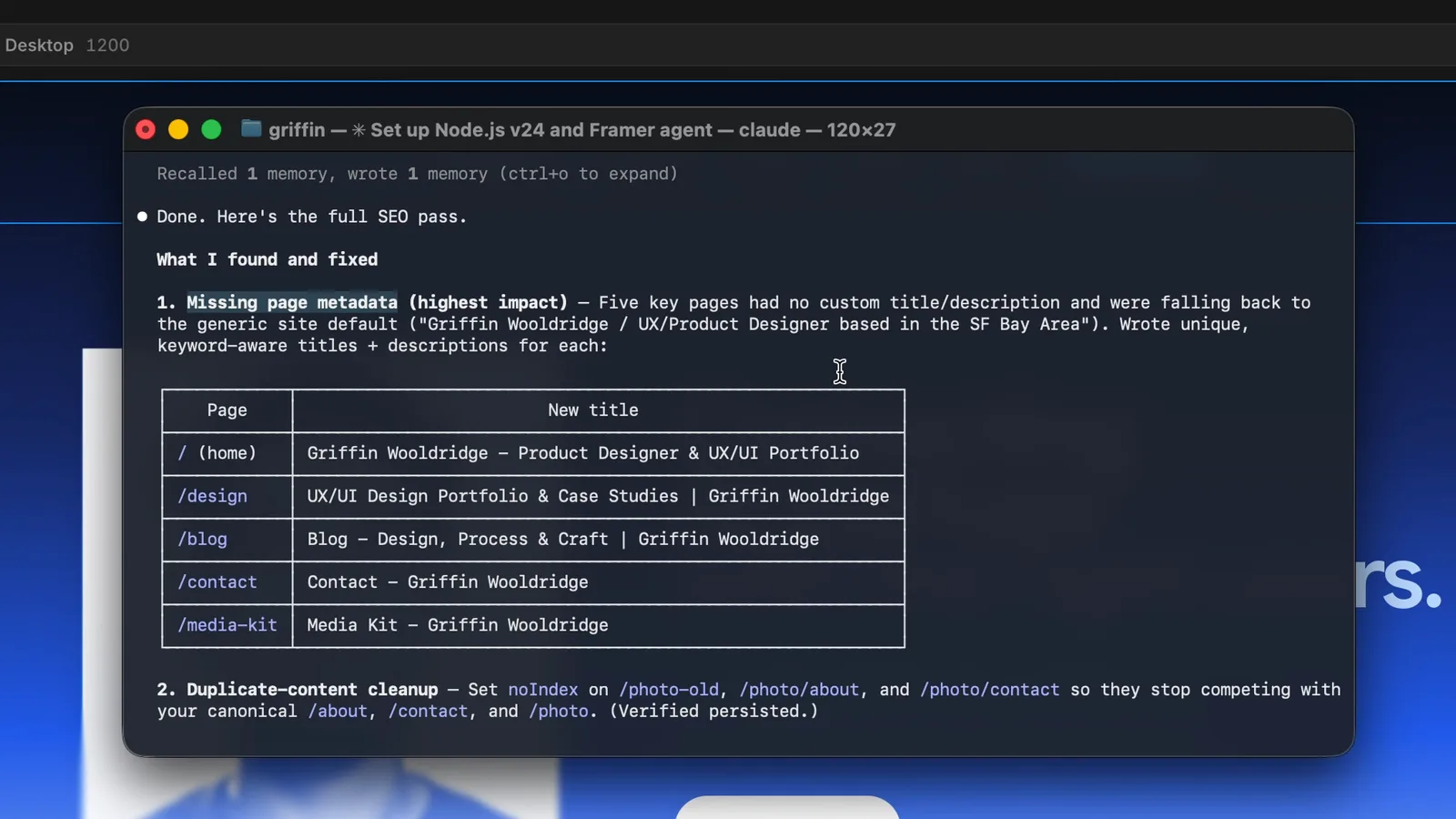
I connected Claude Code because it is already central to my workflow. From the terminal, I could inspect the project and ask for a full SEO pass. The Agent found missing metadata, duplicate or deprecated pages that should not be indexed, and weak image alt text coverage. It then helped write page titles and descriptive alt text across the site.
External Agents are strongest when the task starts outside Framer or needs repeatable logic: importing CMS content from CSV or JSON, syncing external data, auditing SEO and accessibility, normalizing slugs, managing redirects, updating localization, creating code components, or applying a mapping across many pages.
Framer does not require a separate Framer MCP server for this workflow. Its native Agent connection lets supported local agents work with the project directly. High-impact operations should still follow an inspect, propose, apply, summarize, and review sequence before anything is published.
If you have not set up one of those agents yet, both connect to Framer the same way. Here is my designer-focused guide to Codex: How to Use Codex as a Designer
And the same for Cursor: How to Use Cursor as a Designer
Best prompts for Framer AI Agents
Good Framer prompts define the source, target, constraints, and expected output. 'Make my site premium' leaves too much to interpretation. 'Redesign only the homepage using this color system, preserve every existing section and link, update all breakpoints, and summarize changed components' gives the Agent a reviewable job.
For a new design direction, start with one section or one page. Describe the layout, typography, color, spacing, content requirements, and elements that must not change. Review the first pass before expanding the direction across the site.
For structured work, name the exact page, component, CMS collection, local file, or style token. Ask the Agent to inspect first, list its proposed changes, and summarize what it changed afterward.
For visual polish, prompt broad changes and finish precise spacing, alignment, and typographic decisions manually. Framer is still a visual design tool; the best workflow uses that advantage instead of hiding the canvas behind chat.
Framer 3.0 review: is the new Agent good?
After redesigning my full site, my honest answer is yes, with direction. Framer Agents automate a remarkable amount of work through plain-language instructions, and the direct connection to the production canvas makes the output more useful than a disconnected AI mockup.
The Agent was strong at establishing a visual system, applying it across responsive pages, updating shared styles and components, and handling structured CMS and SEO work. It was less reliable when my prompt left content preservation implicit. It also did not remove the need for taste: I still made the final decisions about typography, alignment, contrast, spacing, and which generated ideas belonged in the finished site.
That balance is why the release works. Framer 3.0 does not force designers to choose between manual control and automation. You can prompt on the canvas, edit directly, isolate risky work in a branch, or use Claude Code, Codex, and Cursor for technical workflows. The Agent accelerates production, but you still direct the design process.
For creators, designers, developers, and teams building real websites, this is one of the first AI design workflows that meets you at production instead of stopping at a draft.

FAQ
Framer's Agent is an AI website editor built directly into the Framer canvas. It can generate and update content, layouts, interactions, components, code, responsive breakpoints, CMS content, styles, and more while keeping the result editable.
Yes. Framer launched Agents, Branching, External Agents, the new Community, and its redesigned interface on June 16, 2026.
Yes. The Agent can inspect and update an existing Framer project. For redesigns, explicitly tell it to preserve current copy, links, CMS connections, section types, and information architecture unless you want those changed.
Yes. The Agent can create and revise responsive layouts across Framer breakpoints. You should still review desktop, tablet, and mobile before publishing.
Yes. Framer External Agents can connect Claude Code, Codex, Cursor, Gemini CLI, and similar local agents to supported Framer project resources. They are especially useful for CMS work, code components, bulk edits, localization, redirects, audits, and workflows involving local files or APIs.
Framer says a separate MCP server is not required. Its native Framer Agent setup connects supported local agents directly to the project.
Branching creates an isolated version of a Framer project where you or an Agent can experiment without changing main. You can review changes, apply them to main, and publish when approved.
Framer supports page metadata, semantic content, redirects, CMS fields, image alt text, and publishing controls. Agents and External Agents can help audit and update those elements, but you should review their recommendations and the rendered site before publishing.
Create or open a Framer project, select the Agent tab in the right sidebar, and start with a specific brief for one section or page. You can start Framer here: framer.link
The bottom line
Framer 3.0 is bigger than an AI feature update. Agents add speed on the canvas, Branching adds safety, and External Agents let you bring an established Claude Code, Codex, or Cursor workflow into the same production website.
The best results still come from a designer who can write a clear brief, recognize what is working, correct what is not, and make the final call. That is exactly why this release feels useful: it accelerates the work without pretending judgment no longer matters.
Watch my complete Framer AI Agents tutorial and live redesign: Watch on YouTube
Official Framer 3.0 launch details: framer.com
Framer's guide to Agents: framer.com
Framer's guide to External Agents: framer.com
If you're weighing Framer against other ways to ship a site, I ranked the responsive website builders here: Best Responsive Website Builders (2026): 6 Tested & Ranked
And for the broader AI design toolkit: AI Design Tools for Designers (2026): The Complete Guide